Executive Summary
This document serves as the primary technical reference for managing the multi-tenant restaurant platform. It outlines the modular structure of account creation, hierarchical menu management, and multi-role operational flows designed for high-scale SaaS deployments.
1. Tenant Onboarding & Account Provisioning
Designed to scale with hospitality businesses of any size—from boutique cafés to large hotel chains. The provisioning of a new restaurant tenant is a multi-step verification process ensuring data isolation.
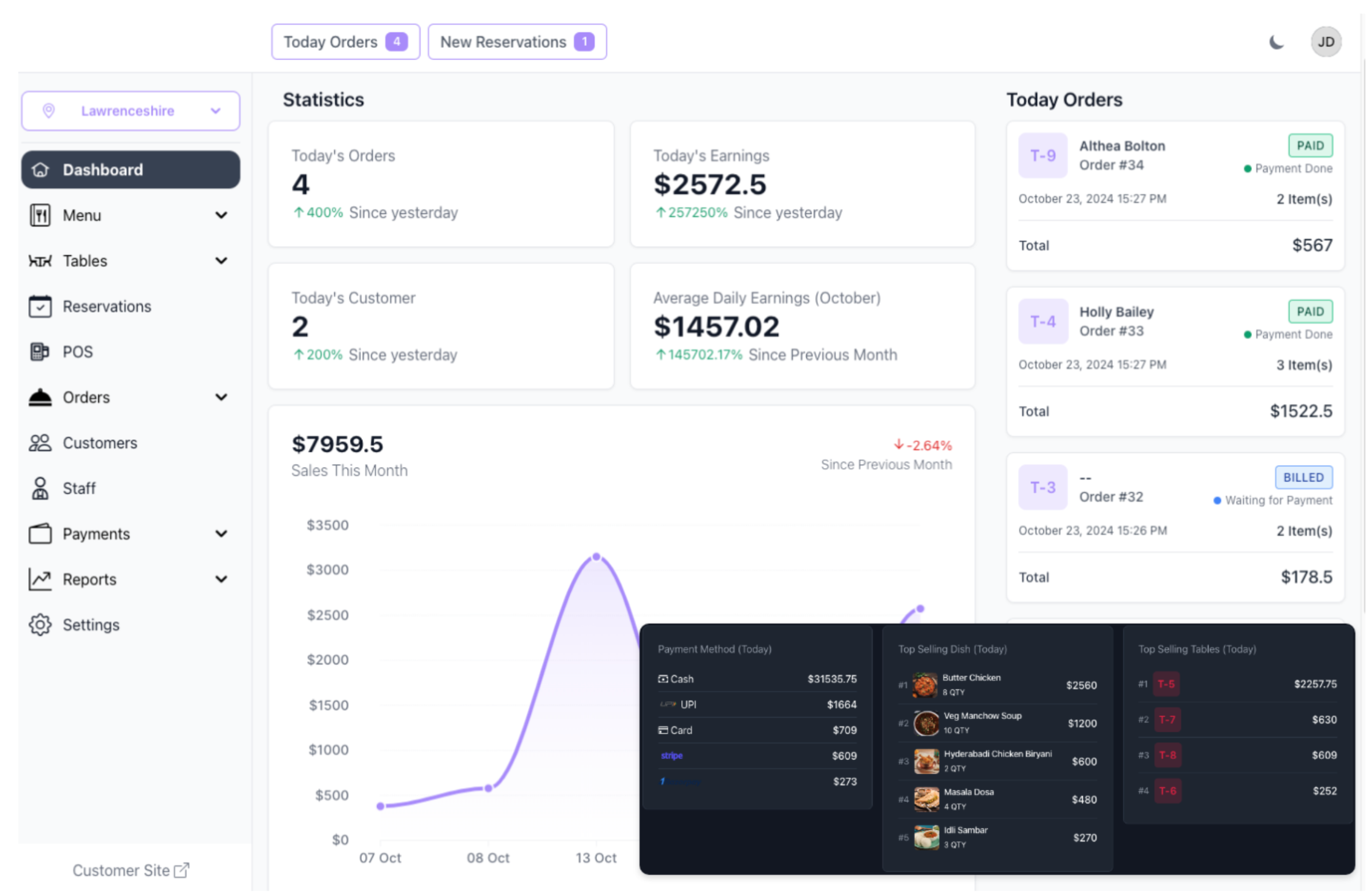
Figure 1.1: Administrative Onboarding Interface
Protocol for New Registration:
- Authentication Layer: System validates unique email identifiers and subdomain availability.
- Organizational Structure: Automated creation of the primary branch and administrative role (`Admin_{id}`).
- Hotel Room Service Integration: Enable in-room ordering protocols by configuring room-specific identifiers during branch setup.
2. Menu Architecture & Item Management
The system utilizes a relational hierarchy with beautiful layouts featuring item images, categories, and rapid filters.
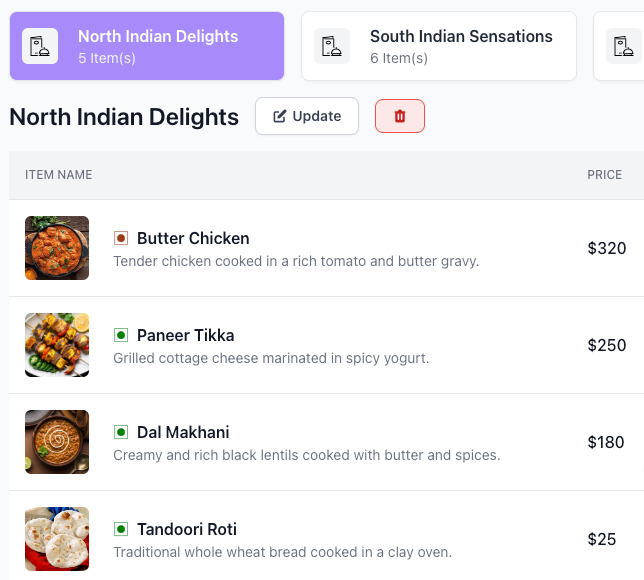
Figure 2.1: Menu Hierarchical Configuration
2.1 Hierarchical Structure
- Global Categories: Dynamic functional groupings (e.g., Starters, Beverages).
- Multilingual Menus: Serve international guests with multi-language support for all categories and items.
- Atomic Items: Individual dishes featuring high-resolution photos and detailed metadata.
2.2 Live Menu Updates
Add/remove items or update prices in seconds from your dashboard. All changes are synchronized instantly to guest devices without requiring page refreshes.
3. Smart QR Code Menus & Contactless Ordering
Instantly viewable digital menus—no app required. Guests scan and browse instantly via their mobile browser for a safer and faster experience.
Figure 3.1: Table-Specific QR Deployment
3.1 Seamless Guest Experience
- Zero Friction: No downloads or registrations required for guest browsing.
- Room Service: Integrated QR codes for hotel rooms allow guests to order food or drinks directly to their door.
- Contactless Payments: Securely settle bills via phone after selection.
4. Real-time Alerts: Waiter Request System
The platform features an instant communication layer between customers and staff via the Waiter Request System.
Figure 4.1: Real-time Notification Protocol
4.1 Alert Dispatch & Acknowledgment
- Instant Notification: System dispatches real-time alerts to authenticated staff.
- Audible Cue: Auditory alerts triggered for high-noise environment awareness.
- Acknowledgment: State synchronization across all terminals once marked as "Attended".
5. Workforce Management & RBAC
Access control is managed via Role-Based Access Control (RBAC), ensuring staff members only access relevant operational modules.
| Role | Core Responsibilities |
|---|---|
| Waiter | Table management, KOT generation, customer service. |
| Chef | Kitchen display management, order fulfillment status. |
| Delivery Exec | Logistics, delivery tracking, last-mile fulfillment. |
6. Operational Workflow: KOT & Billing
Streamlined kitchen workflow and accurate billing ensure a smooth checkout experience.
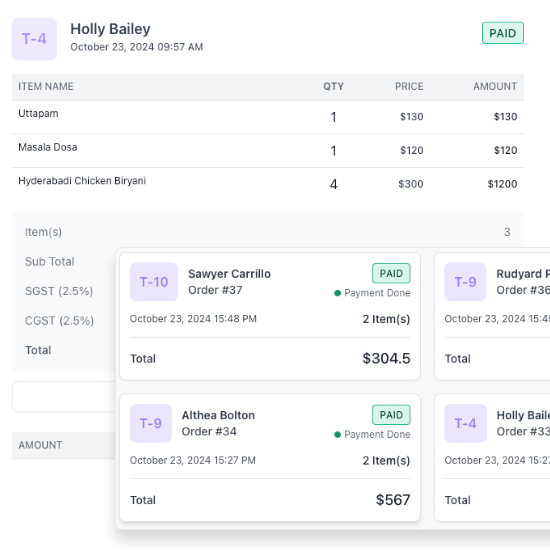
Figure 6.1: Live Order Tracking System
6.1 Kitchen Order Tickets (KOT)
Reduce errors and speed up preparation by sending orders directly to the kitchen in real time. Preparation areas receive atomic item details instantly upon guest confirmation.
6.2 Bill Printing & Settlement
Generate professional bills instantly with support for split bills, discounts, taxes, and multiple payment methods. Professional PDF and thermal print support included.
7. Infrastructure & Custom Floor Plans
Design your restaurant's layout by organizing tables, sections, and service zones for maximum efficiency.
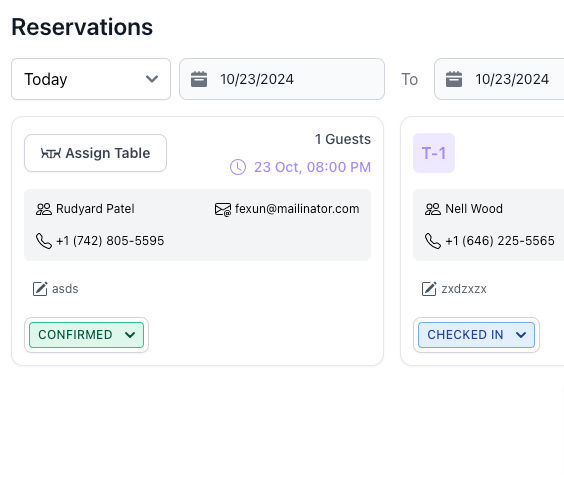
Figure 7.1: Infrastructure Configuration Panel
7.1 Dynamic Floor Planning
Easily create and modify floor plans to match your unique restaurant setup. Map QR codes to specific table identifiers within designated service areas (e.g., Indoor, Rooftop, Room Service).
8. Advanced Analytics & Reporting
Make data-driven decisions with access to real-time sales, inventory, and staff performance reports.
Key Performance Indicators:
Gain deep insights to optimize operations and identify growth opportunities across all branches.
9. Implementation Best Practices
To ensure optimal platform adoption and operational efficiency, follow these architectural and procedural best practices.
Role-Based Access
Present documentation contextually. Ensure high-level guides like "Subscription & Billing" are restricted to Restaurant Owners.
Dynamic Content
Leverage Livewire for interactive tooltips and real-time "Onboarding Tours" that overlay the interface.
© 2026 Smart QR Order Platform documentation. All rights reserved.
Confidential Technical Document — For Internal and Tenant Reference Only.